Tuesday, November 29, 2011

Viva el Google!


It's no secret that I'm a big fan of all things Google. Well, if it was a secret, it wouldn't be anymore because I just said it. I use Android as my primary operating system. I have a Cr48 Chromebook. I use and love Google+, GMail, Google Voice, YouTube, Blogger, Google Maps (including free navigation on my Droid), Google Music, and Google Talk. I even thought Wave had huge potential.

But I don't use Buzz. A guy's got to have standards.

Seriously, what's not to love about Google's services? I get the best email client, free. The best smartphone operating system, free. The best chat client, social media interface, blog interface, video sharing hub, visual voicemail and texting, online media storage . . . FREE! What's not to like?


There are a few out there who really, really don't like Google. Their mantra is, "Nothing's Free". It may seem like I'm getting all of these kick-butt services gratis, but, they claim, there' s a toll to be paid . . . IN BLOOD! OK, I made up that last part. Still, some argue that Google's "free" services are far from, and the cost is one to your personal security and internet enjoyability. Google, they argue, farms your personal data and uses it to sell you ads. Thus, Google is evil and should never be used. Sure, you get free stuff; but at what cost? AT WHAT COST?!

The people I've run across who hold this outlook are usually big fans of Microsoft (trust me; MS fanbois do exist) or Apple. Occasionally you get a Linux fan in there, but they don't really count (I kid, I kid!). Funny thing is, Microsoft and Apple do the same thing; they just charge you more while doing it. And deliver a substandard product (at least, as far as smartphones and browsers are concerned; full OSes are a different matter).

Let's get this straight: Google does have an incentive to get you to use their services (unless you opt out). If you use their services, Google will track anonymous data on you and use it to sell adspace. You'll also get targeted ads (again, if you don't opt out) on their services and others. So, the analytics that all companies collect from their user base in any case are also collected by Google from its users. The ads you were going to see anyway are targeted to your interests. That's the "catch". I'm serious; that's what people complain about. Microsoft, Apple, Firefox; they all do the same thing. Why single out Google? At least their products rock, and I couldn't care less if an ad is relevant to me or not. Why all the hate?

I'm not going to waste any more space on that aspect, but I thought I'd bring it up. If you don't like your usage statistics being anonymised, collected, and used, don't use Google services. Or Apple's. Or Microsoft's. Or visit things on teh intertubez.

That out of the way, on with the mushy gushing over Google!

For serious, though, I didn't come here to share my love for all things Goog. I came here to spread my love for all things Goog. There are some great, new, Google services that need to have participants in order for them to be successful. The two I'm going to cover today are Google Music and Google+ (Wave is gone, so I'll just pour one out for the best collaboration site that money could buy, and that happened to be free).

music.google.com

People should have this if for nothing other than a cloud backup suite for their music. You can store up to 20,000 songs, any quality, for free. You can then access those songs from your Android phone, any computer, or even your iPhone via a web app. You can make playlists, stream, download; whatever you like. If it were just that, everyone ought to be onboard.

But it's not. The real potential with Google Music, in my mind, is for indie artists. Right now, all you need to be a selling artist on Google Music is an account; one time fee of $25, and you get 70% of the sale price for any track or album you sell (http://music.google.com/artists/). You can set your price (even free), set your preview time (90 seconds, full song, etc.), and you might even get featured by Google on their front page for the music store.

This will basically do what YouTube did for a lot of people: kill the middleman. Well, not literally. OK, maybe if the middleman is pushed out of work and ends up starving on the streets, but I kind of doubt that. What musician wouldn't want the opportunity for a large distribution network where they could call all of the shots?

None of this means much, though, if the distribution network isn't that big. So support your local artist; get on Google Music. If for nothing other than cloud backup, it's a great piece of software. Listening to your music anywhere with an internet connexion is just ketchup on the fries.

plus.google.com

This is my real reason for writing, today: Google+. Imagine Facebook, but now pretend it doesn't suck. You've just imagined Google+. I'll now try to convince you to get on Google+, since a social network is nothing without active participants.

We'll start with Circles. Circles is Google+'s method of sharing. On the Facebook (it's more fun to say it like an old fart), things revolve around people's "walls". If you want to share something, you simply post it to your wall. Now the whole world can see that you had tuna fish for lunch and try to care about it. If you want to tell someone that you had a good time at dinner, you go to their wall and post, "dood teh dinnar was sick! lol" Everyone can now see that you both had dinner. It's not a bad system, but it's just a little, how to put this . . . narcissistic.


Circles is a new way to share. You actually share with people you know in relevant ways instead of simply shouting things to the world. Facebook has, since the release of Google+, tried to integrate this feature; but it's not an underlying philosophy like it is with Google+. You have no wall in Google+, just a stream of things you've shared with others or things others have shared with you. There is no message box; if you want to share with just one person, only choose that one person when you make a post.

"But how do I tell the world what's going on with me right now? My life is really important and I need everyone to know exactly what's going on at any given moment because people really give a crap." You can still feed your narcissism if need be; simply make a post and share it with Public, which means the whole world. If you want to say happy birthday to someone but you absolutely need everyone else you know to know that you wished them a happy birthday, simply share with your circles (or Extended circles, or Public) and tag the person you're well wishing in the post. That way no one has to miss out on your overwhelming magnanimity.


The beauty of Google+, though, is that it lets you interact like a normal person would in normal society. You can wish a happy birthday just to the person who has a birthday. You can message a group of people you're going to a movie with later to coordinate. You can have separate circles for your friends, family, acquaintances, and others; and you can share things with one or more of them. You can create a circle for your nerdy friends so only people who want to hear about the latest lore discrepancy in the new Star Wars game will hear about it.


But wait, there's more! If you act now, you'll also get unlimited storage for photos (great cloud backup; you can download photos from it, too) with sharing/commenting ability, the best chat client out there, full YouTube integration, the ability to group video chat (with video sharing in the chat, too, if you like), the ability to share songs via Google Music, and much more!

How much would you pay for this entire package? $300 a year? $500 a year? No! It's absolutely free!

Gushing aside, I really would like to see Google+ become the dominant social media hub. It's just so much more natural than Facebook, and you feel so much more in control. Sharing is more intuitive and real, connexions are more meaningful, and the interface just kicks so much more booty; from photo albums to chatting.

So, give it a whirl; and tell 'em Skipper sent ya! How? Oh, just make a post and share it with Public. No one will care, but that will make you feel more at home if you're a Facebook junkie; you know, just saying things to no one in particular for no real reason at all.

Friday, May 20, 2011

Music Beta by Google


I got in! Impressions forthcoming . . . you know, if and when I get around to it.

Wednesday, May 18, 2011

Chrome OS: I/Onised


When Chrome OS was first announced, it was envisioned to be a window to the web; a lightweight, easy experience that promised cheap hardware and a universal, trouble free experience. Throw on portability and a long battery life, and you had the recipe for a game-changing web experience int he consumer space.

And then there was the iPad.

The iPad was the first real breakthrough in tablet computing. While it remains a very limited platform, it showed people the potential of the tablet experience. What Apple started (a tablet with a mobile OS instead of a cumbersome, desktop OS), Google perfected with Android Honeycomb. Honeycomb, Android's tablet OS, is a lightweight, easy experience that promises relatively cheap hardware and a universal, trouble free experience. Oh, Honeycomb tabs are also portable and have great battery life. Uh oh. This sounds familiar.

Since the advent of Honeycomb tablets, the question has been raised: What's the point of Chrome OS? Can't a Honeycomb tab do everything Chrome OS does and more, all the while wowing consumers with one of them fancy touch-screens and robust, offline capabilities? The answer is yes, yes it can. What's a girl like Chrome OS to do? She spent all that money on such a pretty dress only to have Honeycomb come to the dance with an even better dress. I guess she'll just have to sit there and sulk while Honeycomb gets to dance with all the geeks (who wants to dance with football players, anyway?)

But she's not going to do that. Instead, she decided to crash another party.


Look familiar? No? Well, than you're one of the 0.94% of people on Linux. Those familiar with the left half of the image are in the often far too proud 5.4% of users rockin' the Mac, just edging out the 4.75% using "other" (I use a Mac, by the way; all in good fun, you Appolytes). That means the Redmond side of the image represents a very commanding 88.91% of the worldwide market (25.11% for Win7, 10.22% struggling with Vista, and 53.18% using XP when they're not drawing on the walls of their caves). It's a Microsoft donut with a very small Apple filling (along with a few additives). That's how it is, how it's always been, and how it will always be.

Scratch that last. We'll revise it to, "and how it might remain, unless . . . " The unspoken unless is the Holy Grail of enterprise computerdom: unless someone can actually compete with Microsoft. Many have tried over the years, with the same rate of success. Apple tried it with the Macintosh back in 1984. They're still trying. Linux was the open source saviour against the Megatron that is Windwos, and they now have majority marketshare . . . in supercomputers. When it comes to personal computing, Microsoft is it.

But with great power comes great, um, IT challenges. Viruses, compatibility issues, software prices, upgrades, compatibility and virus risks for the software updates; these are the things we live with in a Microsoft world. And in an Apple world, to a much lesser extent. Our office is all Mac, and we still have crashes and other issues (though not even close to the level at which other offices I've worked at do who were all Windows). Win7 is the best yet, but you're still looking at 63.4% of the market on older, less stable versions of Windows.

While I'm bagging on Windows, let me put another facet out there that's near and dear to my heart: cost (yes, I'm a cheap sonofagun). Even if you're budget minded, it's tough to start up an office. A ten person office will cost a few hundred per computer, and then another few thousand for software and associated licenses. Oh, then you need to hire an IT guy to keep it all running, and make sure you get a nice service plan. That's with Windows; let's not even consider the prices if you use Macs.

Enter the Samsungman

And now we come to Chrome OS. I gave a brief rundown on Chrome OS a little bit ago, but here's the Cliff's Notes version: it's a computer that runs a Google Chrome browser . . . and nothing else. It's a bit strange, and can be a bit frustrating (I'm a beta tester for the OS, by the way), but the concept itself is solid. I'll get to how this is going to Hulk SMASH! enterprise in a little bit; first, a few notes on Chrome OS.

In Chrome OS, you have to suspend what you normally think about how a computer operates. Everything is done through the browser, so program operation is a bit different. You can try Chrome OS for yourself: go download Chrome browser and use it (as a matter of fact, why are you not already using Chrome browser?). Everything is in the cloud. Data processing, spreadsheeting, etc. is done on Google Docs; and all other programs are similarly cloud-based. This comes with marked advantages. Amoung the highlights:
-Never backup again, as everything is in the cloud (auto-backup, yo!). Your entire office could be burned down and all you would have to do is log in to new machines and it's literally like nothing happened (save the fact that you're now working outdoors on an ash heap, but it improves your 3G signal, so it's OK).
-Instant on. OK, this claim is a misnomer, but it'll take you less than 10 seconds to go from completely off to completely working. If you're in sleep mode, though, it really is instant on. Plus, the battery life is great in sleep mode. I leave my Cr48 in sleep for days and just flip it open and start working (why it's off for days is another post; dang Android sapping my time away from Chrome OS).
-Zero compatibility issues. If it's on the web, it's compatible. That's the theory; in fact, things like Netflix and Hulu aren't ready, yet. But this is a discussion about the enterprise space, so this caveat is kind of moot.
-Zero virus issues. Chrome is the most tamper-proof browser, and Chrome OS machines do a kernel check every time they're turned on. Any anomalies prompt the machine to essentially reinstall the OS (not as painful as it sounds).
-Security. One of the coolest things about a Chromebook is that you can log in under a guest account and everything you do is completely secure. Here's how it works: you can log in to my Chromebook and all of your Chrome stuff will pop up (themes, bookmarks, history, etc.). Do some online banking. Remote into your work PC. Post a picture of your neighbor's cat on Facebook. Once you log out, all information from your session is gone. Students are going to love this feature.

That's the good. The bad is, it's an always-connected device. GDocs craps out if you lose connection. There's no, native media player. Ditto for a native, file browser. Google did this in an attempt to get you fully on the cloud. It's annoying. If I tether my Cr48 Chromebook to my Dell Streak 7 4G tablet to update my resume or work a spreadsheet, my work comes to a screeching halt if the connection is at all interrupted. Lamesauce. And stupid of Google, as you can't always expect a perfect connexion in practise (not all of us are rockin' a job for a multi-billion dollar corporation in Mountain View, where even the shuttle busses have WiFi).

Told you I'd get to it.

That all changed with Google I/O. El Goog announced they're going to have an offline mode for GDocs/Gmail/Google Calendar, a native media player, and a native file browser. This answers all of my qualms about Chrome OS. Gee, maybe they listen to their beta testers? Heresy!

So, the little kinks in the OS are getting ironed out. I'll also say that Chrome OS has matured quite a bit since I first got my little Cr48 Chromebook. Anyone using Chrome browser has seen the benefits of that, as they've probably recently jumped from v. 9 to 10 to 11 to 12 (maybe without even knowing it; the update system is very seamless). Suffice to say, the OS should be ready for primetime with these last, little tweaks. There'll still be some issues here and there, but nothing like a Microsoft release (Windows ME and Vista, I'm looking at you).

The second, big, Chrome OS announcement at Google I/O speaks to the first issue I brought up here: Chrome OS's struggle to find a place in the digital world. Google announced a couple fo Chromebooks, one from Acer and one from Samsung. The Acer's an 11.6" deal with an Intel Atom N570 dual core processor, 16GB SSD, USB, HDMI, and a webcam; all for the bargain price of $350. The Samsung is a bit more awesomised, with a 12.1" screen, N570 dual core, HDMI, USB, webcam, 16GB SSD, and an SDXC slot for $450. It's $50 more (each) for a 3G model.

I'll be the first to admit, the specs and price didn't wow me. But that's because I'm not the one needing to be wowed; for consumers/individual purchasers like me, there are Honeycomb tablets (read: do want!). If you're a business, school, or government institution who wants 10 or more of these little bad boys, prices start at $20/month per unit (up to $28/month). For hardware and software support as well as updates. By updates, I mean software and hardware updates.

Let's recap this so it'll sink in. For $28/month per person, everyone in your office gets a new laptop with a SSD and some nice ports, 3G and the WiFis capability, integrated office software from anywhere, you can fire your IT department, and you'll get support and upgrades for both hardware and software. You also never have to backup again, and a computer going down means nothing more than turning on a new one. Oh, and no virus protection or the like, either. Now that's a compelling package.

But will it be compelling enough to steer businesses and universities away from Microsoft? That, readers, is the question. We'll find out soon enough.

Wednesday, May 11, 2011

ANDROID: Prepare to Awesomise


The Little Green Robot that Could will be able do a little more in the not to distant future. Google I/O's keynotes are over, and a few bombs were dropped in the process. These aren't those nasty, destructive, awesome bombs like the BLU-82B Daisy Cutter, but more of a candy-and-laser-light-show filled fun bomb.

Like dropping one of these . . . 

. . . on one of these.

Google dropped Android Honeycomb 3.1, Music Beta by Google, video rental via YouTube, and Android@Home, to name a few of the larger releases. Oh, and Android Ice Cream Sandwich to come later this year. A quick note on these, and then a note on my favourite release tease from day 1 of the presentation (day 2 is another post, as it has to do with Chrome OS).

Music Beta by Google
This is going to be a cloud streaming service with something like 85GB of free space to use. I'm not sure of the exact number, but Google did say that one can upload 20,000 songs (I do hope one can store video, as well). You can access these songs whenever you like from your computer, laptop, or Android device. I hear iOS devices are in the works, but we'll have to wait and see what the ever-exclusive, Cupertino crowd thinks about that; remember how long it took to get Google Voice, and how that was motivated by possible legal action in the EU?

In any case, this will be an awesome addition to the Android repertoire. The downside for this over Amazon Cloud Music Player is that you can't yet purchase anything on Music Beta. Still, that doesn't stop you from using Amazon Cloud Player and Music Beta, which is what I plan to do.


Android@Home
This will either be really cool, or nothing at all. Google's like that, sometimes (remember Wave?). The potential is to be able to control every light, garage door, speaker, thermostat, appliance, etc. in your home via your Android handset. I imagine this will end up as something in the middle, with people like me having some things "Androidified" and most things conventional. In any case, home automation is a Star-Trekky sort of gig, so I'm on board.
I can't wait to say to my tablet, "Tea, Earl Grey, hot," and have the coffee maker start brewing some Earl Grey tea. I don't even like Earl Grey tea, and I'm still geeking out about it.

My Favourite Thing
By far and away, the best announcement was that Google is partnering with manufacturers and carriers to ensure updates for future, Android devices. I do hope some current ones are covered, as well, as I have a couple of Android devices myself that obviously aren't from the future (or are they?).

Google is setting an 18 month update promise for the coalition. That means timely updates for your device from the day it's released up until a year and a half later, at minimum. Since I'm an XDA addict, I don't need this; but this is surely a welcome tidbit for the 95+% of people out there who don't root and ROM. Oh, and I won't need to backup, wipe, and ROM my wife's phone anymore.

That's a rap for day 1. Stay tuned for Day2.

Tuesday, March 8, 2011

Data for One, Data for All!

Captain's Log - Startdate 64648.3

Lieutenant Commander Data has been captured by the Borg, a collective of living machines bent on enslaving the human race. For the good of the Collective, they have stated their intention of splitting Data into several pieces and then reselling him to the Federation in small, expensive, controlled bits. Riker is so upset, he shaved his beard (and man, has he put on weight; I really ought to put this in the Supplemental Log).

Data is now under the complete control of the Borg Collective, consisting of the Borg vessels Verizon, T-Mobile, AT&T, and Sprint. We currently have no course of action to get him back in one piece. I fear, unless we engineer some sort of inverse tachyon beam (which will be pretty tough to do without Data), we may be at the mercy of the Borg and Data will be forever their slave.

Of course, Leonidas would have simply impaled Q, proving that even a lame god-ish thing can bleed.

I'll make this short and sweet (like my wife, except this article won't get bored when I tell it about the up and coming, 7", SAMOLED display tech). I'd like wireless providers to start offering shared data plans, similar to the shared minute plans we all enjoy. Make it a $10 per device per month fee for each additional device, or some such thing. That way, My Cr48 could share with my (soon to come) tablet and my wife's (soon to come) tablet, and I can hog all the GeeBees since my wife barely uses any.

Make it so!

Friday, March 4, 2011

The iPad 2 Cometh

As some of you know, I'm a little obsessed with tablets. Since even those not obsessed with tablets took note of the presentation Apple made on 3/2/2011, it goes without saying that I took particular note of it. I know what you're thinking, consequently: "If it goes without saying, then why did you say it?" Because it's my blog, and I'll say what I want. I'll even have mock arguments with myself over minutia. Deal with it.

Back to the point. I'm talking about Apple's unveiling of their successor to their uber-successful: the iPad 2. 

<cue Handel's Messiah>

Though I didn't want to purchase the OG iPad, due mainly to its price and lack of functionality, I still loved using it. As a big touch-screen interface aficionado (I left out the commas because I mean it in both senses of the phrase), the tablet form factor resonated deeply with me. Internet browsing, video watching, email checking, etc. are all as they seem meant to be. Even my Cr48, which is built as a simple window to the web, doesn't give anything close to the same kind of immersive experience.

I want a tablet so badly that I even purchased one: the Archos A70HDD.

<cue, well, something a little less impressive than Handel's Messiah>


You'll notice that this is the first I've talked about the A70 on my blog, and there's a reason for that. I don't have it anymore. After about two weeks, back to Amazon it went. Another story for another time.

Suffice to say, though, I've got a fever. And the only prescription I know of is more tablet.

Gotta have that tablet, baby!

After my brief foray into the world of slates, I decided I should wait to see what the real players were coming out with next. One of the many factors that forced the return of the A70 was that it was still running a Cortex A8, single core processor. It would soon be obsolete; or, at least behind the times and unable to play with the new software inevitably coming out. Heck, my OG Droid is a lowly, Cortex A8, single core processor. So is the OG iPad, iPhone 4, Droid X, Galaxy S, Nexus S, and a bunch of other stuff I don't have but wouldn't mind getting my hands on. Knowing that 2011 will be The Year of the Tablet, patience is a particular virtue right now.

But some things make it really hard to hold out.

Doncha' wish your handset was hot, like me?

The XOOM is pure radness, but two things kept me from standing in line (possibly by my lonesome) at 5AM in the snow in front of Best Buy:
1. Price. It's expensive, pure and simple. $799 is a lot to ask, even if the product delivers. WiFi only will be coming out for $539, but that's still a chunk of change. I'm just a lowly working guy; I'm looking more in the sub-$400 range.
2. iPad 2. Even as someone who's not really an Apple fan (though I really like my Mac, and loved using the iPad), I would be a fool to purchase something so close to the imminent release of what will be the top dog, sales wise, for the next six months or more.

But now, the wait is over. iPad 2 is announced, and will soon be in the wilds of malls everywhere just waiting to be snatched up. So, what did the wait bring? Let's explore.


Apple's last slate offering was a 3G or WiFi, 9.7", 1024x768 affair and was running iOS 4, which, though full of nice apps, had the same basic UI as a 2002 Nokia.

But it's so intuitive!

The new rig, though, will not only be rocking iOS 4, but will also have a 9.7", 1024x768 screen. And it not only has the option of WiFi, but 3G, too!

OK, so there's a little bit of tongue-in-cheek there. The screen on the OG iPad, though a "lowly" 136ppi, was always a very pleasant experience. I have zero issues with Apple keeping the same screen. Also, since iOS doesn't handle different screen sizes and resolutions as elegantly as Android, the iPad would have had to go up in resolution a ridiculous amount in order to avoid apps looking downright silly on the new screen. Suffice to say, the screen is fine as is (as anyone who has used an iPad can attest to).

As for iOS 4.3 and 3G . . . well, we'll get to that in due course. Another thing that's remained unchanged, thankfully, is the price. iPad 2 will start at just $499, albeit for a WiFi only, 16GB (non-expandable) party. Also, the battery life remains the same, best-in-class longevity you're used to on the OG iPad. 

So, what has changed? I'm glad I asked, because now I get to tell you. First, let's start with the processor.


Apple has ditched the old, cortex A8, single core chip (made by Samsung) and gone with a brand spankin' new, cortex A9, dual core chip (also made by Samsung, I believe). They've presumably bumped the RAM from 256MB to 512MB, too; which will be a great boon for next-gen type gaming. If this is running the PowerVR SGX543 GPU (which it most likely is), that's also a gift to gamers. All in all nothing surprising, but certainly everything welcome.

FaceTime < FaceManTime

Another new for '11 feature, at least in the Cupertino camp, are cameras front and rear. iPad can now not only take photos, but video chat, too. This was a much needed upgrade, and really something that ought to have come on the first gen model. Still, better late than never. No word yet on the actual camera specs, other than the rear eye can do 720p video, but I would expect a VGA front and 5MP rear. Apple could surprise us with a 1.3MP front and an 8MP rear, but I wouldn't hold my breath.


Though the iPad 2 may look just like its predecessor, it's actually a complete redesign. The new slate slides in at a very tantalising 33% thinner than the previous model, at 8.8mm vs. 13.4mm. In fact, it's even thinner than the iPhone 4, which sits at an already skimpy 9.3mm. It's thinner than the thinnest smartphone, which is the LG Optimus Black (from the makers of the iPhone 4 display), which has a widest point of 9.2mm (though a slimmest point of a mere 6.1mm).

It also has a new cover. I'm trying to get excited, because Steve Jobs turned the RDF all the way to 11 with this one, but it's a cover. It's nice and all, but I wouldn't pay $40-70 for one.

It's a very smart cover.
But, if you ask InCase, it's not exactly novel.

So, where do I land with the iPad 2? In Disappointville, that's where. Even more than the OG iPad, this thing had potential.

Now, before you go spouting off how many iPads were sold last year and how this is going to outsell all the other tablets and marketshare revenue blah blah blah, let me tell you what I care about: how will this benefit me? I don't give two craps about a corporation making a pile of cash, and neither should you. Gadget apologists are some of the weirdest people ever. You do know that Apple, Google, Microsoft, HP, etc. only like you as long as you're paying them, right? Heck, Apple's not even philanthropic with the cash they get from you (not that they have to be; I just don't get people loving on a company that only loves on themselves). Apple makes some nice devices, to be sure, but they're still just a computer company at the end of the day. They need to provide me a product I want in order for me to like them.

Going from that perspective, the iPad 2 is quite a letdown. It's faster, lighter, and thinner, to be sure, but that's not going to lift it above the competition. The Nvidia (Tegra 2), Samsung (Orion), Qualcomm (dual 1.5GHz Scorpion), and TI (OMAP 4) equipped tablets out and coming out are just as fast, while some have more RAM (most will be getting 1GB), better cameras, higher resolution (though I don't count this as a big plus, since the iPad screen is already quite nice), and the same weight (the Galaxy Tab 10.1 will be a whopping 8g lighter, like it matters). Suffice to say, the hardware of the iPad 2 will not be anything that draws me away from the competition.

Then there's the real kickers: what the other guys have that the iPad 2 doesn't.

No matter how good you look, we all know what happens when you bring a knife to a gunfight.

First and foremost, for a guy like me, is 4G. Whether it's WiMax, HSPA+, or LTE (I know some have theoretical advantages over others, and none ought to be technically called 4G; but they all perform about the same in real life usage and are 3-5x faster than 3G). I cut the cord almost a year ago; I'm all 3G, now. 4G is a huge seller for me, since it takes my speed back up to what it was when I had Comcast.

Second, screen size. This one I'll concede to Apple as not a real factor, because it's my qualm alone and not something they ought to have brought to the iPad 2. During my brief affair with the Archos A70, I decided that I didn't like Archos, but I love the 7" tablet size. I'm going to ditch my phone and netbook for one. Seriously.

The cameras are a bit of a bummer if the hype on them is true (VGA front, 3MP or less rear), but we don't know yet so I'll give Apple the benefit of the doubt. If they use the same, rear shooter as the iPhone 4, it's all good.

Now for the real, end all, be all gripe I have with the iPad 2: the OS. It's a wall of icons and, well, more icons. The notification system sucks. There's no homescreen functionality. It's boring and not very useful to boot. In short, it's an OS made for a completely different form factor.

I really like Android's UI on their phones, but I could see how someone would be fine with iOS on the iPhone or iPod Touch. It's far more simple, sure, but most people don't want any more going on with their 3.5" screen. I like to have live weather, a Bible verse of the day, a clock, live calendar, and music players on my 3.7" screen, but I could see how people would be cool with just a simple grid of colourful icons and a custom background (though live wallpapers are certainly a lot of fun, too).

You could always go with ye olde wall o' apps.

 But why would you want to? 

For tablets, though, it's a different story. With the greater screen real estate, there's just so much more you can do than tap on an app. Android already is ahead of iOS when it comes to the notification system; I fully expected Apple to step it up for iPad 2. I would even have liked to see them surpass Android's offerings. What they did, though, was nothing. Android, however, revamped the entire notification system for Honeycomb (their tablet UI). Here's a little taste:


I love how you get your music controls, people's avatars, etc. right there in the notification box (which you pop up when you have alerts). The multitasking interface looks pretty slick, too:


I got to play with a XOOM at Costco and, though I don't want a XOOM, I definitely want a Honeycomb tablet. The WebOS tab and the BlackBerry PlayBook look like they have a good tablet UI, too (none to play with, yet).

HP TouchPad

RIM PlayBook

Great use of the screen real estate on all of these (WebOS, PlayBook, and Honeycomb). It's the perfect mix of desktop UI and smartphone OS. This is the future of portable computing, I believe. Maybe Apple will wow us with iOS 5.x (and I sincerely hope so), but this is what they present right now:


Come on, Apple. You can do better than this.

Monday, January 3, 2011

The Cr48 Notebook: A Note on Hardware

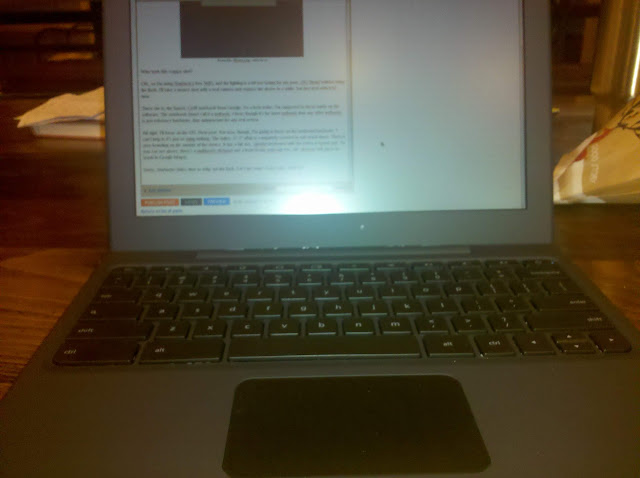
From Mr. Blurrycam, with love.

Who took this crappy shot?

OK, so I'm using Starbuck's free WiFi, and the lighting is a bit too taxing for my poor, OG Droid without using the flash. I'll take a money shot with a real camera and replace the above in a while, but just deal with it for now.

There she is; the famed, Cr48 notebook from Google. As a beta tester, I'm supposed to focus solely on the software. The notebook (don't call it a netbook, I hear; though it's far more netbook than any other netbook) is just reference hardware, thus unimportant for any real review.

All right, Google; I'll focus on the OS.

Next post. For now, though, I'm going to focus on the irrelevant hardware. I can't help it; it's just so striking. If they wanted me to ignore the hardware, they ought to have shoved Chrome OS into a Eee PC. Glossy, small screen, generic; easy to ignore. Not this.

For starters, the entire, 12.1" affair is completely covered in soft touch black. Owners of an OG Droid know what I'm talking about, here. It screams quality functionality with no gimmicks. Speaking of no gimmicks, there is zero branding on the outside of the device. No "with Google," no giant, lit up logo on the lid to advertise to other coffee aficionados; the lid is simply the top of the unit. Once you flip said lid, you're greeted by a full size, chicklet keyboard (with all the letters in lowercase) and a multitouch clickpad which, thankfully, will pinch-to-zoom in Google Maps. The 16:9, 1280x800 screen is matte (no glare-inducing, studio gloss here) and topped by a webcam and light sensor.

Sorry, Starbucks folks; time to whip out the flash. Let's get some clearer pics, shall we?

Rear

Side (Ports are USB, 3.5mm headphone, and power.)

Closed

Full Montey

They're still not stellar shots, I know, but the Droid's flash is a fairly weak, LED setup. I would do some nicer shots with my Sony, but the Cr48 doesn't yet read from external media (edit: it can, but it's a bit cumbersome; I'll explain in my next post on the OS itself).

As you can see, it's a very plain device. I'm afraid the above shots, though, don't nearly do it justice. In person, it really is a very classy, handsome machine. The understated, fingerprint resistant (though by no means immune), soft touch surface coupled with the matte screen and the lack of any branding whatsoever just feels so, well, grown up. I think I will get some better shots with my Sony; you really have to see this thing to appreciate it. Compared to the aforementioned Eee PC netbook, the ASUS looks like a Toys R Us mock up for kids to play at working on a computer; just like Daddy!


See what I mean?

The Cr48 is your daddy, Eee.

Google is very close with the exact specs, because the hardware isn't really supposed to matter. Well, it does, so here are some specifics I got off of the ol' intertubes:
Processor: Intel Atom Processor N455 1.66GHz 512K Cache
Chipset: Intel CG82NM10 PCH
Motherboard: Tripod Motherboard MARIO – 6050A240910 – MB – A03
Ram: Hynix 2GB DDR3 1Rx8 PC3 – 10600S Ram
Read Only Memory: ITE IT8500E Flash ROM
SSD Drive: SanDisk sdsa4dh-016G 16GB SATA SSD
Wireless Wan: Qualcomm Gobi2000 PCI Express Mini Card
3G Adapter: AzureWave 802.11 a/b/g/n PCI-E Half MiniCard
Bluetooth: Atheros AR5BBU12 Bluetooth V2.1 EDR


So, we're looking at a 1.66GHz, 2GB RAM, 16GB SSD netbook with a 12.1" screen, webcam, b/g/n WiFi, Bluetooth 2.1, and a 3G modem (CDMA, Verizon only, I believe). There's also an SDHC expansion slot, but it's not readable by Chrome OS, yet (planned for a future update). Not too shabby. This would be about a $300-400 netbook, if sold commercially.


As this is reference hardware, I really hope companies refer to it when designing their own Chrome OS netbooks. Samsung and Acer ought to have some out later this year, followed by the rest of the gang of usual suspects. I really do hope they stick with the form factor of the Cr48. 12.1" is so much nicer than 10.1" (I won't even mention 7"; come on, it's not a tablet), and the businesslike nature of the zero branding, soft touch dressing, and matte screen are a welcome change in today's ad-blitz, colour craze, gloss screen and plastic world.


We'll light on the OS in due course, but for now I'll say this: the Cr48 hardware is almost perfect. Add in another USB port and an HDMI output and you can kick out the "almost."