Are you ready to embark on adventures in nerdom? You've come to the right place. Grab your dual-analog thumbstick powered light-cycle and set phasers for lightsaber. All your base are about to belong to us.
Showing posts with label chromium. Show all posts
Tuesday, November 29, 2011
Viva el Google!
It's no secret that I'm a big fan of all things Google. Well, if it was a secret, it wouldn't be anymore because I just said it. I use Android as my primary operating system. I have a Cr48 Chromebook. I use and love Google+, GMail, Google Voice, YouTube, Blogger, Google Maps (including free navigation on my Droid), Google Music, and Google Talk. I even thought Wave had huge potential.
But I don't use Buzz. A guy's got to have standards.
Seriously, what's not to love about Google's services? I get the best email client, free. The best smartphone operating system, free. The best chat client, social media interface, blog interface, video sharing hub, visual voicemail and texting, online media storage . . . FREE! What's not to like?
There are a few out there who really, really don't like Google. Their mantra is, "Nothing's Free". It may seem like I'm getting all of these kick-butt services gratis, but, they claim, there' s a toll to be paid . . . IN BLOOD! OK, I made up that last part. Still, some argue that Google's "free" services are far from, and the cost is one to your personal security and internet enjoyability. Google, they argue, farms your personal data and uses it to sell you ads. Thus, Google is evil and should never be used. Sure, you get free stuff; but at what cost? AT WHAT COST?!
The people I've run across who hold this outlook are usually big fans of Microsoft (trust me; MS fanbois do exist) or Apple. Occasionally you get a Linux fan in there, but they don't really count (I kid, I kid!). Funny thing is, Microsoft and Apple do the same thing; they just charge you more while doing it. And deliver a substandard product (at least, as far as smartphones and browsers are concerned; full OSes are a different matter).
Let's get this straight: Google does have an incentive to get you to use their services (unless you opt out). If you use their services, Google will track anonymous data on you and use it to sell adspace. You'll also get targeted ads (again, if you don't opt out) on their services and others. So, the analytics that all companies collect from their user base in any case are also collected by Google from its users. The ads you were going to see anyway are targeted to your interests. That's the "catch". I'm serious; that's what people complain about. Microsoft, Apple, Firefox; they all do the same thing. Why single out Google? At least their products rock, and I couldn't care less if an ad is relevant to me or not. Why all the hate?
I'm not going to waste any more space on that aspect, but I thought I'd bring it up. If you don't like your usage statistics being anonymised, collected, and used, don't use Google services. Or Apple's. Or Microsoft's. Or visit things on teh intertubez.
That out of the way, on with the mushy gushing over Google!
For serious, though, I didn't come here to share my love for all things Goog. I came here to spread my love for all things Goog. There are some great, new, Google services that need to have participants in order for them to be successful. The two I'm going to cover today are Google Music and Google+ (Wave is gone, so I'll just pour one out for the best collaboration site that money could buy, and that happened to be free).
music.google.com
People should have this if for nothing other than a cloud backup suite for their music. You can store up to 20,000 songs, any quality, for free. You can then access those songs from your Android phone, any computer, or even your iPhone via a web app. You can make playlists, stream, download; whatever you like. If it were just that, everyone ought to be onboard.
But it's not. The real potential with Google Music, in my mind, is for indie artists. Right now, all you need to be a selling artist on Google Music is an account; one time fee of $25, and you get 70% of the sale price for any track or album you sell (http://music.google.com/artists/). You can set your price (even free), set your preview time (90 seconds, full song, etc.), and you might even get featured by Google on their front page for the music store.
This will basically do what YouTube did for a lot of people: kill the middleman. Well, not literally. OK, maybe if the middleman is pushed out of work and ends up starving on the streets, but I kind of doubt that. What musician wouldn't want the opportunity for a large distribution network where they could call all of the shots?
None of this means much, though, if the distribution network isn't that big. So support your local artist; get on Google Music. If for nothing other than cloud backup, it's a great piece of software. Listening to your music anywhere with an internet connexion is just ketchup on the fries.
plus.google.com
This is my real reason for writing, today: Google+. Imagine Facebook, but now pretend it doesn't suck. You've just imagined Google+. I'll now try to convince you to get on Google+, since a social network is nothing without active participants.
We'll start with Circles. Circles is Google+'s method of sharing. On the Facebook (it's more fun to say it like an old fart), things revolve around people's "walls". If you want to share something, you simply post it to your wall. Now the whole world can see that you had tuna fish for lunch and try to care about it. If you want to tell someone that you had a good time at dinner, you go to their wall and post, "dood teh dinnar was sick! lol" Everyone can now see that you both had dinner. It's not a bad system, but it's just a little, how to put this . . . narcissistic.
Circles is a new way to share. You actually share with people you know in relevant ways instead of simply shouting things to the world. Facebook has, since the release of Google+, tried to integrate this feature; but it's not an underlying philosophy like it is with Google+. You have no wall in Google+, just a stream of things you've shared with others or things others have shared with you. There is no message box; if you want to share with just one person, only choose that one person when you make a post.
"But how do I tell the world what's going on with me right now? My life is really important and I need everyone to know exactly what's going on at any given moment because people really give a crap." You can still feed your narcissism if need be; simply make a post and share it with Public, which means the whole world. If you want to say happy birthday to someone but you absolutely need everyone else you know to know that you wished them a happy birthday, simply share with your circles (or Extended circles, or Public) and tag the person you're well wishing in the post. That way no one has to miss out on your overwhelming magnanimity.
The beauty of Google+, though, is that it lets you interact like a normal person would in normal society. You can wish a happy birthday just to the person who has a birthday. You can message a group of people you're going to a movie with later to coordinate. You can have separate circles for your friends, family, acquaintances, and others; and you can share things with one or more of them. You can create a circle for your nerdy friends so only people who want to hear about the latest lore discrepancy in the new Star Wars game will hear about it.
But wait, there's more! If you act now, you'll also get unlimited storage for photos (great cloud backup; you can download photos from it, too) with sharing/commenting ability, the best chat client out there, full YouTube integration, the ability to group video chat (with video sharing in the chat, too, if you like), the ability to share songs via Google Music, and much more!
How much would you pay for this entire package? $300 a year? $500 a year? No! It's absolutely free!
Gushing aside, I really would like to see Google+ become the dominant social media hub. It's just so much more natural than Facebook, and you feel so much more in control. Sharing is more intuitive and real, connexions are more meaningful, and the interface just kicks so much more booty; from photo albums to chatting.
So, give it a whirl; and tell 'em Skipper sent ya! How? Oh, just make a post and share it with Public. No one will care, but that will make you feel more at home if you're a Facebook junkie; you know, just saying things to no one in particular for no real reason at all.
Monday, January 3, 2011
The Cr48 Notebook: A Note on Hardware
From Mr. Blurrycam, with love.
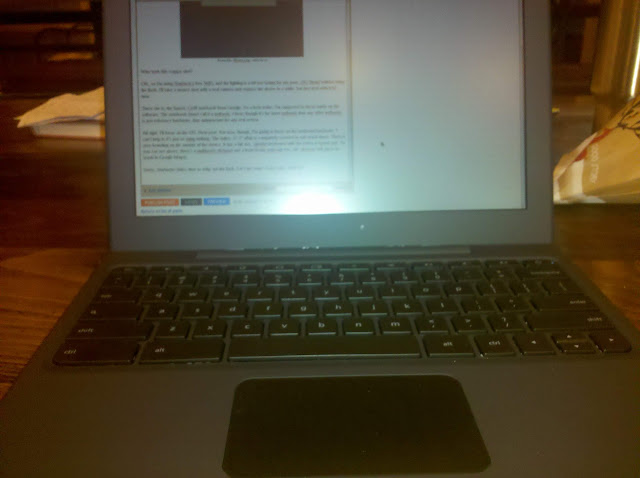
Who took this crappy shot?
OK, so I'm using Starbuck's free WiFi, and the lighting is a bit too taxing for my poor, OG Droid without using the flash. I'll take a money shot with a real camera and replace the above in a while, but just deal with it for now.
There she is; the famed, Cr48 notebook from Google. As a beta tester, I'm supposed to focus solely on the software. The notebook (don't call it a netbook, I hear; though it's far more netbook than any other netbook) is just reference hardware, thus unimportant for any real review.
All right, Google; I'll focus on the OS.
Next post. For now, though, I'm going to focus on the irrelevant hardware. I can't help it; it's just so striking. If they wanted me to ignore the hardware, they ought to have shoved Chrome OS into a Eee PC. Glossy, small screen, generic; easy to ignore. Not this.
For starters, the entire, 12.1" affair is completely covered in soft touch black. Owners of an OG Droid know what I'm talking about, here. It screams quality functionality with no gimmicks. Speaking of no gimmicks, there is zero branding on the outside of the device. No "with Google," no giant, lit up logo on the lid to advertise to other coffee aficionados; the lid is simply the top of the unit. Once you flip said lid, you're greeted by a full size, chicklet keyboard (with all the letters in lowercase) and a multitouch clickpad which, thankfully, will pinch-to-zoom in Google Maps. The 16:9, 1280x800 screen is matte (no glare-inducing, studio gloss here) and topped by a webcam and light sensor.
Sorry, Starbucks folks; time to whip out the flash. Let's get some clearer pics, shall we?
Rear
Side (Ports are USB, 3.5mm headphone, and power.)
Closed
Full Montey
They're still not stellar shots, I know, but the Droid's flash is a fairly weak, LED setup. I would do some nicer shots with my Sony, but the Cr48 doesn't yet read from external media (edit: it can, but it's a bit cumbersome; I'll explain in my next post on the OS itself).
As you can see, it's a very plain device. I'm afraid the above shots, though, don't nearly do it justice. In person, it really is a very classy, handsome machine. The understated, fingerprint resistant (though by no means immune), soft touch surface coupled with the matte screen and the lack of any branding whatsoever just feels so, well, grown up. I think I will get some better shots with my Sony; you really have to see this thing to appreciate it. Compared to the aforementioned Eee PC netbook, the ASUS looks like a Toys R Us mock up for kids to play at working on a computer; just like Daddy!
See what I mean?
The Cr48 is your daddy, Eee.
Google is very close with the exact specs, because the hardware isn't really supposed to matter. Well, it does, so here are some specifics I got off of the ol' intertubes:
Processor: Intel Atom Processor N455 1.66GHz 512K Cache
Chipset: Intel CG82NM10 PCH
Motherboard: Tripod Motherboard MARIO – 6050A240910 – MB – A03
Ram: Hynix 2GB DDR3 1Rx8 PC3 – 10600S Ram
Read Only Memory: ITE IT8500E Flash ROM
SSD Drive: SanDisk sdsa4dh-016G 16GB SATA SSD
Wireless Wan: Qualcomm Gobi2000 PCI Express Mini Card
3G Adapter: AzureWave 802.11 a/b/g/n PCI-E Half MiniCard
Bluetooth: Atheros AR5BBU12 Bluetooth V2.1 EDR
So, we're looking at a 1.66GHz, 2GB RAM, 16GB SSD netbook with a 12.1" screen, webcam, b/g/n WiFi, Bluetooth 2.1, and a 3G modem (CDMA, Verizon only, I believe). There's also an SDHC expansion slot, but it's not readable by Chrome OS, yet (planned for a future update). Not too shabby. This would be about a $300-400 netbook, if sold commercially.
As this is reference hardware, I really hope companies refer to it when designing their own Chrome OS netbooks. Samsung and Acer ought to have some out later this year, followed by the rest of the gang of usual suspects. I really do hope they stick with the form factor of the Cr48. 12.1" is so much nicer than 10.1" (I won't even mention 7"; come on, it's not a tablet), and the businesslike nature of the zero branding, soft touch dressing, and matte screen are a welcome change in today's ad-blitz, colour craze, gloss screen and plastic world.
We'll light on the OS in due course, but for now I'll say this: the Cr48 hardware is almost perfect. Add in another USB port and an HDMI output and you can kick out the "almost."
Motherboard: Tripod Motherboard MARIO – 6050A240910 – MB – A03
Ram: Hynix 2GB DDR3 1Rx8 PC3 – 10600S Ram
Read Only Memory: ITE IT8500E Flash ROM
SSD Drive: SanDisk sdsa4dh-016G 16GB SATA SSD
Wireless Wan: Qualcomm Gobi2000 PCI Express Mini Card
3G Adapter: AzureWave 802.11 a/b/g/n PCI-E Half MiniCard
Bluetooth: Atheros AR5BBU12 Bluetooth V2.1 EDR
So, we're looking at a 1.66GHz, 2GB RAM, 16GB SSD netbook with a 12.1" screen, webcam, b/g/n WiFi, Bluetooth 2.1, and a 3G modem (CDMA, Verizon only, I believe). There's also an SDHC expansion slot, but it's not readable by Chrome OS, yet (planned for a future update). Not too shabby. This would be about a $300-400 netbook, if sold commercially.
As this is reference hardware, I really hope companies refer to it when designing their own Chrome OS netbooks. Samsung and Acer ought to have some out later this year, followed by the rest of the gang of usual suspects. I really do hope they stick with the form factor of the Cr48. 12.1" is so much nicer than 10.1" (I won't even mention 7"; come on, it's not a tablet), and the businesslike nature of the zero branding, soft touch dressing, and matte screen are a welcome change in today's ad-blitz, colour craze, gloss screen and plastic world.
We'll light on the OS in due course, but for now I'll say this: the Cr48 hardware is almost perfect. Add in another USB port and an HDMI output and you can kick out the "almost."
Monday, December 20, 2010
Chrome OS - What's the Point?
On the heels of my new, Cr48 notebook (thanks, Santa Google!), I'd like to post some of my impressions. But first-
We need to talk.
I know we've been in a relationship for some time now. It's not that I'm uncomfortable in it, it's that I'm . . . too comfortable. Things have gotten stale. And, let's face it, you're not who you were when we started this journey. You've gotten a lot, well, bigger; kind of bloated and slow. To be candid, you've lost your appeal. Oh, sure, there are a lot of tasks you do for me; but do I really need them done anymore? I just want to use you and have fun with you. If I wanted work, I'd go to work!
I need someone younger, slimmer, and who doesn't take forever to warm up. I want someone who instantly turns on, and is ready to go the moment I am. Someone I can share with friends without having to risk getting a virus.
I'm sorry, Windows, but we're just not right for each other anymore. I know you'll find someone (maybe OSX?). Sure, you're old and bloated; but there are people out there who need a workhorse. I need a racehorse.
I'm leaving you for Chrome OS.
What is Chrome OS?
Have you used Google's Chrome browser? Then you've basically used Chrome OS. Haven't used Chrome browser? Do it!!! Seriously. Click the clicky, be free from Internet Explorer, Safari, or whichever other, inferior browser you've been on.
But why a browser? Don't I already have a browser, and much more besides on my current rig? Yes, you do. And that, according to Google, is the problem.
Desktop operating systems are designed to do a lot. From terminal coding to CAD, photo editing, and 3D rendering. Games, graphics, internet, music, storage; they do it all. Whether you use Win7, OSX, or a Linux distro, you have computing power the ENIAC builders could only have dreamed about. There are all kinds of things your computer has the power to let you do. The question is: do you?
What do you use your computer for? If you're like me, you use it for internet browsing and research, word processing, music and video playback, email, light photo editing, messaging, texting (GVoice = heart + tear), day planner, and smartphone interaction, among other things. I don't burn CDs or watch DVDs on it, anymore (sooo 1999). I don't really use any dedicated, processor intensive programs. I don't game on it anymore (WoW and WifE seldom go hand in hand). In short, I don't use my computer to its potential.
So what? Better more horsepower than less, right? Not so fast, turbo. This isn't necessarily a case of power unused, but of features unused. Take, for instance, my Cr48 Chrome OS notebook. Like a netbook, it runs a 1.66GHz Intel Atom processor with 2GB of RAM and an SSD drive. Same horsepower. What it doesn't have, however, is an OS that was designed for auto-CAD, coding, custom software, etc. Think of it like the GT car version to the Win7 production car.
Basically, this:
versus this:
The top WRX is fast, fun, and still stores your stuff, carries your friends, plays your music, etc. The bottom WRX has the same base engine and chassis, but is stripped down to the bare minimum so that there's little between you and the driving experience.
And that's Chrome OS. It's a barebones, internet interface. Everything is done in the cloud. Word processing? Google Docs. Music playing? Pandora. Photo editing? Picasa and Picnik. Gaming? Onlive. Honestly, there's little that I do that can't be done in the browser. Chrome OS is light, agile, and quick. It does a lot with a little (who would purchase a 1.66GHz Atom for a main computer these days?).
The real question is: does it work? That's what I intend to find out. Over the next few weeks and months, I'll slog the heck out of my little Cr48 and report back.
Let the beta testing begin!
Cr48 is Here
Subscribe to:
Posts (Atom)